Rokid AR Spatial buyer's guide: Max 2, Station 2 and the checks before you buy
Affiliate disclosure: Links may earn HoloNexa a commission at no extra cost to you.
What you are actually buying
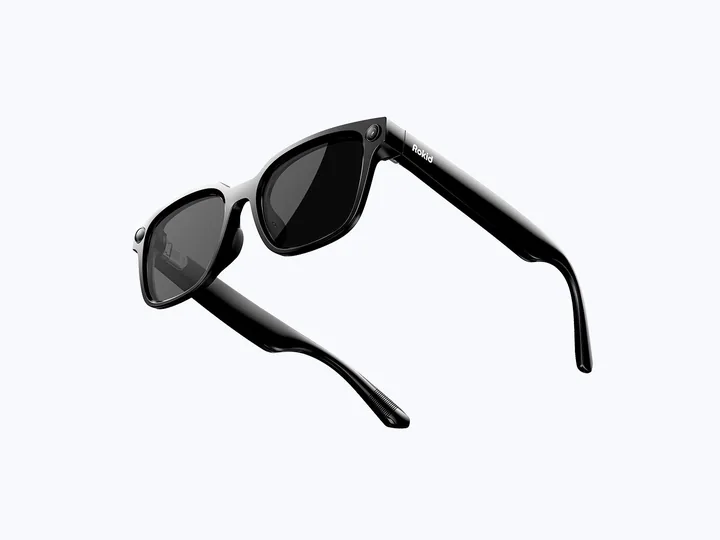
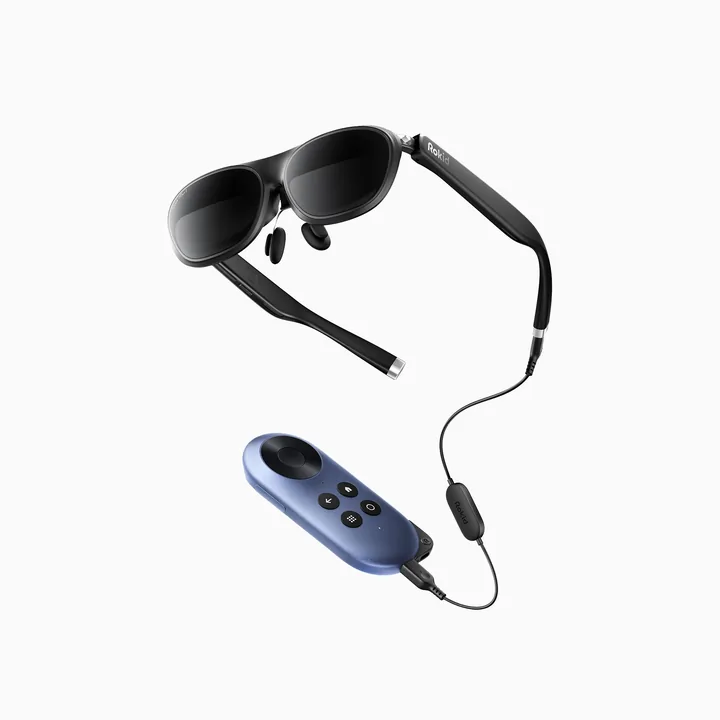
Rokid AR Spatial is a two-part system: Max 2 display glasses and the Station 2 computing unit. The glasses provide the personal display; the station supplies the spatial software environment. That distinction matters when comparing listings: Max 2 alone and AR Joy 2 are different purchases, even though the product photographs can look similar.
This is a private wearable-screen setup. It does not create a shared hologram for people sitting around you. If you need to show a presentation to a room, a conventional shared display still performs a different job. The editorial cover illustrates the idea of a personal workspace; the visible screen shapes are conceptual, not a photograph of what bystanders see.
Confirmed display capabilities—and what the big-screen claim means
Rokid's current AR comparison lists 1920 × 1200 pixels per eye for AR Spatial, a 50-degree field of view and a virtual display described as up to a 300-inch equivalent. It also lists a 60–120 Hz display range. These are manufacturer specifications, not measurements from HoloNexa.
A virtual diagonal describes apparent scale rather than a physical panel you can measure on your desk. It does not give a wearable display the pixel count of a wall-sized television. For buyers, readable text, visible edges and comfortable focus are more useful questions than the largest advertised diagonal.
Rokid's detailed system explainer separately states that pairing the glasses with Station 2 uses a 90 Hz operating rate. Treat the maximum panel refresh rate and the complete system's operating mode as different figures; do not assume every application or connection runs at 120 Hz.
What Station 2 adds
Rokid documents up to three app windows in a 3DoF spatial workspace. Station 2 runs YodaOS-Master and is listed with 8 GB of RAM, 128 GB of storage, Wi-Fi 6 and Bluetooth 5.2. Keyboard and mouse support gives the system an input route beyond the handheld controller.
Three degrees of freedom refers to rotational tracking: turning or tilting your head. It should not be read as proof of full positional tracking as you walk through a room. Our analysis: anchored windows can make a private screen more useful, but that does not automatically make this setup equivalent to a full mixed-reality headset.
An extra computing unit is valuable only if you use its software and controls. If your sole requirement is watching a compatible laptop's output, compare the standalone-glasses route before paying for a second device to charge, carry and maintain.
The compatibility limit to check before ordering
Rokid's Station 2 support answer explicitly says the unit does not accept DisplayPort input. The same answer describes casting from a device that supports screen projection as a route to anchoring its image through Station 2. This is a specific limitation, not an invitation to connect any console or computer by any USB-C cable.
Standalone Max 2 direct display generally needs a source with DisplayPort video output over USB-C; other sources may need an appropriate adapter. A USB-C socket alone does not establish video compatibility. Check the exact model of your phone, laptop or console, its video output, the adapter and the intended display mode.
Before purchase, write down the connection you intend to use. Ask the seller or Rokid whether that complete chain supports your required resolution, charging and tracking behavior. A successful direct video connection and a successful Station 2 spatial workflow are separate things to verify.
Can it support real work?
Our analysis: the strongest productivity case is a portable personal workspace for a repeatable task, rather than an automatic replacement for every desktop monitor. A useful trial would include reading a dense document, typing an email and moving between a reference page and your working application.
Use your actual accounts and documents. Check sign-in, required extensions or app features, keyboard shortcuts, file access and how easily you recover after a connection interruption. An application being available is not proof that its workflow matches the desktop version.
For a work purchase, fit and text clarity deserve the same attention as software. If you keep adjusting the frame to read the bottom of a document, or find yourself avoiding longer tasks, the portability benefit may not compensate for the friction. HoloNexa has not performed hands-on comfort, latency or productivity testing.
Movies, games and travel: practical checks
A private screen can be appealing for a quiet evening or a seated journey. The purchase question is whether your preferred content works in the mode you plan to use. Check each streaming service's account, regional availability, DRM restrictions and supported playback rather than assuming all installed apps behave identically.
For games, identify whether you intend local play on the station, streaming or video from a separate device. Each route has different compatibility and network requirements. We have not measured game latency, so this guide does not promise suitability for competitive play.
Keep a charging plan and a comfortable place for the station and cable. Published battery figures are planning references, not a guarantee for your brightness, apps and wireless use. Evaluate the entire kit you will carry, including input devices and adapters, rather than only the glasses.
Prescription needs and fit
Rokid's Max 2 support documentation states that the built-in myopia adjustment covers 0.00D to −6.00D. It directs users with astigmatism, farsightedness or prescriptions outside that range to additional prescription-lens solutions. The dials should not be treated as a universal substitute for prescribed lenses.
Before buying, confirm the compatible insert or lens service, its cost and its return conditions. Fit also includes nose position, temple pressure and whether both eyes can see the full image comfortably. A specification sheet cannot settle those individual questions.
Our analysis: buyers who need corrective accessories should compare the total configured cost and the ability to return the setup if it does not fit. A low initial bundle price is less useful if the lens solution is unavailable for your prescription or market.
AR Spatial, Max 2 or AR Joy 2?
Rokid's lineup distinguishes the bundles clearly. AR Spatial pairs Max 2 with Station 2 for its spatial environment. Standalone Max 2 uses an external source. AR Joy 2 combines Max 2 with the original Rokid Station, which the comparison describes as a single-screen entertainment package without a 3DoF claim for that included station.
Our analysis: choose AR Spatial when the Station 2 workflow is the reason for buying. Consider Max 2 alone when your existing compatible device is sufficient. Evaluate Joy 2 when simpler entertainment is the priority, checking the actual station generation in the listing.
Similar-looking glasses do not make these bundles interchangeable. Verify the complete item title, station model, included cable, accessories, seller and delivery market before paying.
Price, retailer differences and the affiliate link
Checked on October 8, 2026, Rokid's official product page displayed US$449 alongside a crossed-out US$598 and a 25% discount label. US$449 is therefore a displayed promotional offer, not a guaranteed permanent standard price. Options, stock and checkout terms can change.
The Amazon US buying link below is HoloNexa's affiliate link for AR Spatial. Amazon's price, bundle contents, seller, shipping and returns may differ from Rokid's direct store. Compare the final listing rather than expecting the official-store figure to apply automatically.
HoloNexa may earn a commission from a qualifying purchase at no additional cost to you. That relationship does not determine our analysis or the product's inclusion. The manufacturer links in the sources section remain direct references for checking facts.
HoloNexa's buying assessment
AR Spatial deserves consideration if you want a dedicated, portable personal-display system and can identify a specific use for Station 2. Its most important advantage over buying display glasses alone is the bundled software and input environment, not simply a larger number in a screen-size headline.
Be more selective if you need guaranteed desktop-app parity, an arbitrary wired video-input hub, a shared presentation display or a return policy that allows extensive trial use. Resolve those requirements with current documentation and the seller before ordering.
Our recommendation is to decide on the workflow first, then choose the bundle. Confirm the source-device path, required apps, vision solution and full delivered cost. This is a manufacturer-researched buyer's guide, not a claim that we tested or reviewed a retail unit.
Analysis: who it is for / who should skip it
AR Spatial suits a buyer who has a defined use for Station 2's supported application workspace and is willing to maintain the glasses and computing unit together. Skip the bundle when an existing compatible source supplies everything needed, when a shared audience must see the image, or when the requirement is an unrestricted wired input from a console. Those differences follow from the documented system design, not a measured performance ranking.
What to check before you buy
Check the exact bundle choice, corrective-lens route, Station 2 software and app access for your destination. Rokid's official support answer says Station 2 does not accept DisplayPort input. Its product page gives shipping costs and timing at checkout and sets conditions for returns. Confirm the complete selected package rather than transferring a glasses-only accessory's compatibility to the station. The dated official-price note records the current check; older price references are retained as historical context.
Analysis: comparison with alternatives
Max 2 alone is worth investigating if a compatible device already provides the desired video. AR Joy 2 is a separate packaged route whose station and service requirements need their own check. Compare those complete workflows before paying for Station 2 specifically, and use the linked guides to inspect the documented distinctions rather than treating a bundle discount as the deciding technical feature.
FAQ: is Station 2 a universal wired input adapter?
No. Rokid explicitly says it lacks DisplayPort input. Its documented casting route is a different workflow and still requires a compatible sending device.
FAQ: does 3DoF mean full room-scale positional tracking?
No. The documented workspace tracks rotation. It should not be represented as proof of full movement tracking throughout a room.
FAQ: are the panel refresh maximum and the system mode identical?
Not automatically. Rokid's system explainer gives a separate operating rate for the Station 2 pairing, as explained in the retained specification section above.
FAQ: should I buy the bundle if I already own Max 2?
Compare the exact components required with those already owned. Buying duplicate glasses is not necessary merely because the complete-system listing is easier to find.
Guide details and methodology
All insightsBuyer’s guide
Explore Rokid AR Spatial's Max 2 and Station 2 bundle, spatial windows, connection limits, prescription options and Amazon US buying considerations.
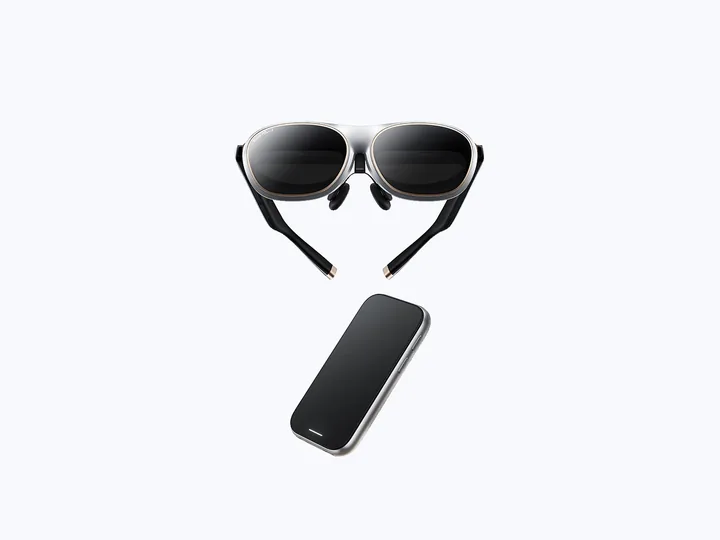 Manufacturer product image · Source: Rokid official store.
Documented compatibility can change with hardware, software and accessory revisions. No hands-on testing is claimed.
Recorded US prices
- Rokid AR Spatial$399 sale · regular $549 · Price checked: November 2, 2026 · Official price source
This status applies to the price record only; specifications, compatibility and final availability require separate confirmation.
This research-based guide uses manufacturer documentation for product facts. Evaluation and buying guidance are independent analysis; it is not presented as hands-on testing.
Original Station or Station 2? Check the system before buying
These are separate accessories, not complete glasses. Check the exact model and existing bundle contents before buying.
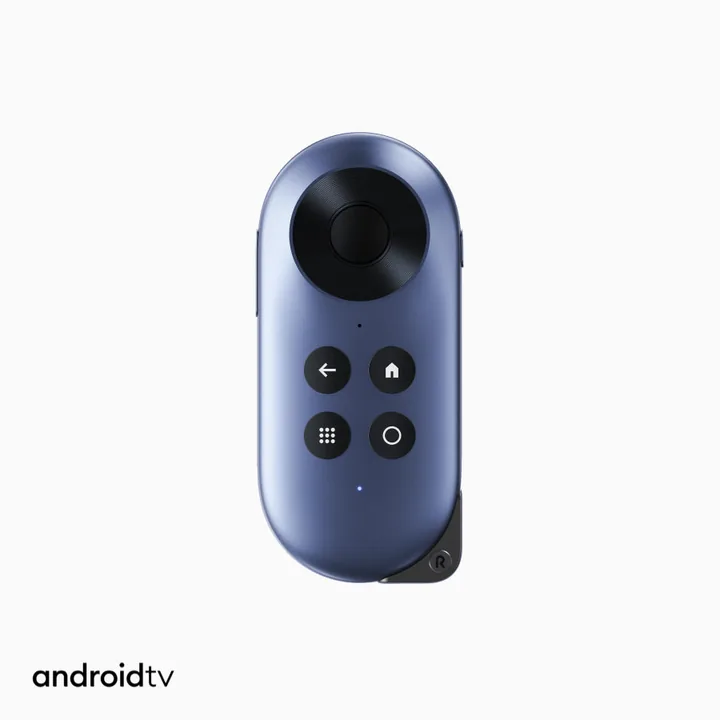
Rokid Station
$59Price checked: November 2, 2026Official price sourceOfficial Rokid-store reference. Amazon price may differ.Compatible Rokid Max / Air; confirm the exact glasses and supplied cable
Details and limitations Check Rokid Station on Amazon US — affiliate link HoloNexa may earn a commission from qualifying purchases at no additional cost to you. The displayed USD reference price is from the official Rokid store, not an Amazon quote. Confirm the Amazon seller, selected model, package contents, stock, shipping and final price before purchase.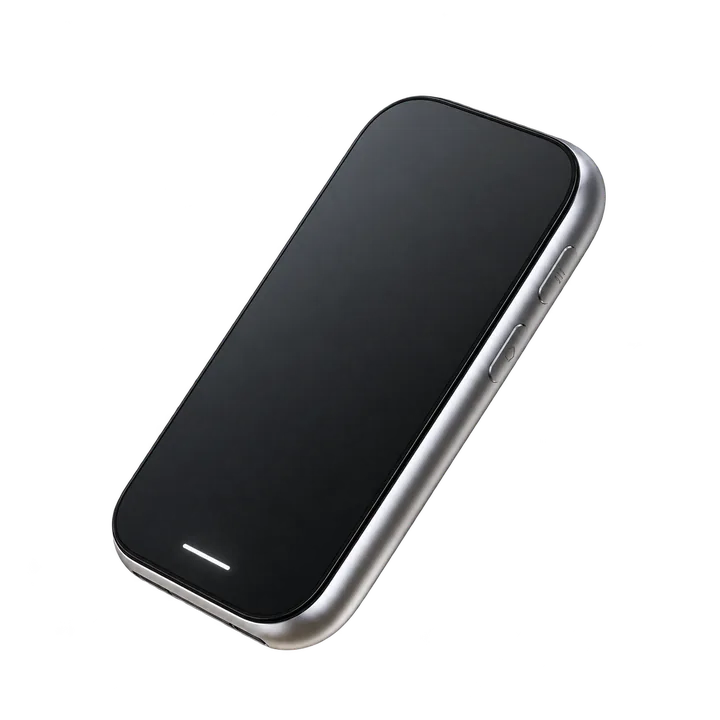
Rokid Station 2
$299Price checked: November 2, 2026Official price sourceOfficial Rokid-store reference. Amazon price may differ.Rokid spatial ecosystem; Max 2 recommended; verify other models
Details and limitations Check Rokid Station 2 on Amazon US — affiliate link HoloNexa may earn a commission from qualifying purchases at no additional cost to you. The displayed USD reference price is from the official Rokid store, not an Amazon quote. Confirm the Amazon seller, selected model, package contents, stock, shipping and final price before purchase.Official sources
Specifications, availability and program terms can change. Confirm current information on the linked manufacturer pages.