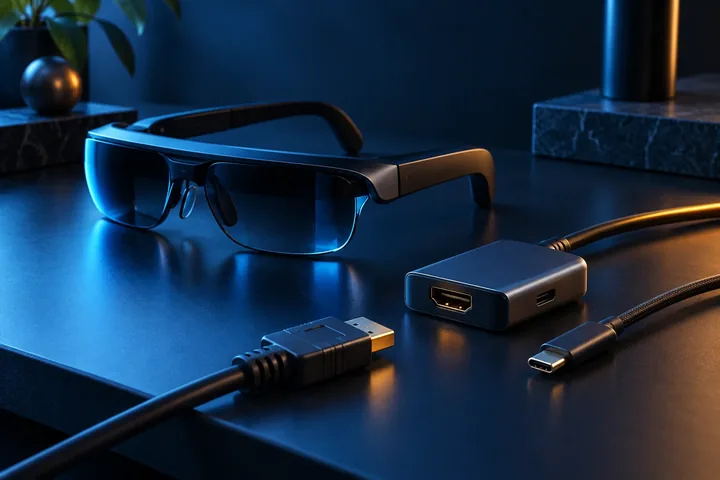
Can you wear AR glasses with prescription glasses? Myopia, inserts and IPD explained
The short answer: usually yes, but not by one universal method
Many current AR display glasses can work for prescription wearers, but the solution depends on the exact model and prescription. Common approaches include a removable prescription insert, a manufacturer-supplied custom lens, built-in myopia dials or—on devices designed for it—wearing ordinary glasses underneath. A product being described as prescription compatible does not mean every prescription, lens type or face shape is supported.
For most slim display glasses, stacking a second frame underneath is at best a short fitting test rather than the intended long-term setup. XREAL’s current guidance says regular glasses can add weight, disturb positioning and create incorrect spacing; it recommends dedicated prescription lenses for stable long-term use. The practical first step is therefore to match your current prescription and pupillary distance to the manufacturer’s documented correction path before buying.
Four ways AR glasses accommodate vision correction
A prescription insert is a small secondary frame that sits behind the display optics and carries lenses made to the wearer’s prescription. An integrated prescription service follows a similar principle but lets the buyer submit prescription data through the manufacturer or an optical partner. Both can account for more than simple nearsightedness when the published range includes sphere, cylinder and axis values.
Built-in diopter dials take a different approach: each eye can be focused within a stated negative-diopter range without ordering extra lenses. That is convenient for supported myopia, but the dial is not a substitute for every element of an eyeglass prescription. A fourth approach—wearing normal frames inside or under the device—works only when the hardware explicitly provides enough clearance and fit; it should never be assumed from product photos.
Why a myopia dial is not the same as your full prescription
A prescription can contain sphere values for nearsightedness or farsightedness, cylinder and axis values for astigmatism, different values for each eye and sometimes additional correction. A dial advertised from 0 to a negative-diopter limit mainly addresses focus for myopia. It does not automatically reproduce cylinder, axis, prism or progressive-lens requirements.
Use the current prescription from your eye-care professional rather than turning a dial until text merely looks sharp. If the prescription includes astigmatism, farsightedness, a value outside the stated dial range or another correction not named by the manufacturer, check the official insert program or ask the optical provider to confirm support in writing. HoloNexa does not provide medical advice, and persistent blur, double vision, headache or discomfort is a reason to stop using the display and seek appropriate professional guidance.
Confirmed product examples—and their different limits
Rokid states that Max 2 provides independent built-in adjustment from 0.00D to −6.00D for nearsightedness. Its official support article directs users with farsightedness, astigmatism or prescriptions outside that range to additional prescription-lens solutions. VITURE documents independent myopia dials from 0 to −5.0D on Pro 2 and points users with astigmatism or prescriptions beyond −5.0D to a separately sold prescription frame.
XREAL takes an insert-and-service route on One Pro. Its official US store includes an empty prescription frame and offers a separate order flow for custom lenses, including sphere, cylinder, axis and pupillary-distance fields. RayNeo includes a sample prescription-lens frame with Air 3s Pro and directs buyers to optical partners; RayNeo’s current service page states a supported ordering range of myopia from 0 to −10.00D and astigmatism from 0 to −2.00D. These are manufacturer-published limits, not HoloNexa eye tests, and they can change by product, partner and market.
IPD and eye-box alignment matter as much as lens power
Interpupillary distance, or IPD, is the distance between the centers of the pupils. Correct lens power can still produce a disappointing AR image if the eyes do not align with the optical sweet spots. Poor alignment can show up as clipped edges, uneven sharpness, incomplete images or double vision. Face shape, nose-pad position and the distance added by an insert also affect where the eyes sit inside the eye box.
XREAL sells One Pro in two IPD ranges: 57–66 mm and 66–75 mm. Its One Series software provides 13 IPD-adjustment levels, while warning that adjustment may slightly reduce the maximum screen size and farthest screen distance. That is a useful reminder that software alignment cannot make an unsuitable physical fit disappear. Measure IPD accurately and check the device’s physical range, adjustment method and return terms before relying on a claimed one-size solution.
What to check before ordering prescription lenses
Confirm the complete prescription fields requested by the lens supplier, including whether it needs one combined PD number or separate right and left values. Then verify the supported sphere and cylinder ranges, the exact insert for the exact glasses model, lens-index choices, coatings, production time, shipping market, warranty and the process if the optical center is wrong. Inserts from closely related models are not automatically interchangeable.
Pay special attention to returns. XREAL’s current One Pro lens page says custom lenses are non-returnable except for quality issues, so a typing mistake can be costly. Test the unmodified glasses during the main hardware return window when possible, but do not treat temporary sharpness without your proper correction as proof of long-term comfort. Keep the original prescription and order confirmation so an optical provider can investigate any mismatch.
A practical fitting test during the return window
Use the exact phone, computer, cable and applications you intend to run. With the correct insert or documented dial setting, read text in the center and corners, then move only your eyes to check edge clarity. Adjust the nose pads and temples, look for image clipping in either eye, and verify that normal blinking and small head movements do not make one side disappear.
Run the test for a representative session rather than a five-minute demo. Check nose pressure, temple pressure, reflections between lenses, fogging, eyelashes touching the insert and whether the display remains aligned after removing and replacing the glasses. If the product offers IPD software, compare settings methodically and return to the documented default before making another change. Never force an insert or modify prescription lenses to fit an unsupported frame.
Which correction route fits which buyer?
Built-in myopia adjustment is the lowest-friction option for a buyer whose needs fall entirely inside the stated range and who wants to share the glasses occasionally. A custom insert is the more flexible route for many users with astigmatism, farsightedness or different corrections in each eye, provided the optical partner supports the full prescription. Integrated custom lenses can look and feel more like ordinary eyewear, but they tie replacement and service more closely to one product ecosystem.
People who wear contact lenses may be able to use the standard glasses, but contact-lens suitability is an individual clinical question rather than a product feature. Wearing ordinary frames underneath is sensible only when the manufacturer explicitly supports that fit. For frequent use, choose the method that corrects both the virtual image and the real-world view required by the product’s design—not merely the option that produces the sharpest menu at first glance.
HoloNexa analysis: prescription support is now a buying criterion, not an accessory footnote
Prescription compatibility should be evaluated alongside display quality, source-device compatibility and comfort. The market now offers credible paths—dials, inserts and direct lens services—but the details are fragmented. A buyer can easily compare two headline adjustment ranges while missing astigmatism support, IPD fit, non-returnable custom lenses or the extra cost of the optical solution.
The most useful product page is therefore the one that publishes an exact correction range, identifies the lens provider, explains IPD and lists the return policy. HoloNexa’s view is that simple myopia dials are valuable convenience, while a properly specified insert is often the safer purchasing path for a complex prescription. That is an editorial assessment based on documented capabilities, not a medical verdict or hands-on optical test. No rumor-based claims were used in this guide.
Frequently asked questions
Can you wear normal prescription glasses under AR glasses? Only if the manufacturer says the design supports it; slim display glasses often use a dedicated insert instead. Do myopia dials correct astigmatism? The current Rokid and VITURE documentation directs astigmatism users to prescription-lens solutions rather than treating the dial as a complete correction. Do prescription inserts come with the glasses? Some boxes include an empty frame, but the fitted lenses and optical service are commonly separate purchases.
Does IPD appear on every glasses prescription? Not always; XREAL’s ordering page tells buyers to ask an optometrist when PD is missing. Can one insert fit multiple AR models? Do not assume so—mounts and optical geometry vary, and XREAL’s manual specifically says One and One Pro prescription lenses are not compatible with each other. Should you buy before ordering lenses? First confirm that the hardware, supported prescription range and custom-lens return terms all work for you.
Guide details and methodology
All insightsBuyer’s guide
Learn how AR glasses handle prescription lenses, myopia adjustment and IPD—and what to check for astigmatism, lens inserts, fit and returns.
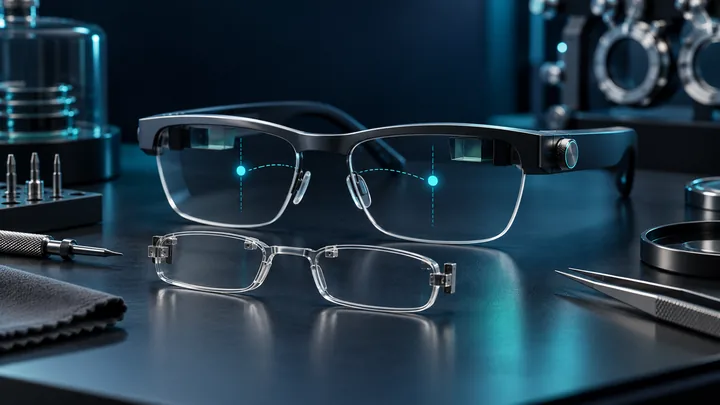 Original HoloNexa editorial illustration. It is not an official product photograph.
Documented compatibility can change with hardware, software and accessory revisions. No hands-on testing is claimed.
Recorded US prices
- RayNeo Air 3s Pro$299 new · sold out; $279 refurbished · Price checked: November 5, 2026 · Official price source
- Rokid Max 2$249 sale · regular $399 · Price checked: November 2, 2026 · Official price source
- VITURE Pro 2$299 · Price checked: November 2, 2026 · Official price source
- XREAL One Pro$599 sale · regular $649 · Price checked: November 2, 2026 · Official price source
This status applies to the price record only; specifications, compatibility and final availability require separate confirmation.
This research-based guide uses manufacturer documentation for product facts. Evaluation and buying guidance are independent analysis; it is not presented as hands-on testing.
Official sources
Specifications, availability and program terms can change. Confirm current information on the linked manufacturer pages.
- XREAL: official One Pro product and prescription information
- XREAL US Shop: One Pro prescription-lens ordering page
- XREAL Tutorials: One Series IPD adjustment
- Rokid: official Max 2 prescription-lens guidance
- VITURE Academy: Pro 2 XR Glasses specifications
- RayNeo: Air 3s Pro official product page
- RayNeo: official prescription-lens purchase guidance
- European Commission: IPD and XR comfort FAQ