3DoF vs 6DoF AR glasses: what stays fixed when you move?
The short answer: rotation is different from position
3DoF AR glasses track how your head rotates. 6DoF adds tracking of where your head moves. For a virtual screen, that difference becomes obvious when you lean sideways or move closer: a system that measures position can update the view relative to the screen’s location, rather than responding only to the direction you face. Neither label tells you everything about display quality, software or comfort.
For buying decisions, the useful question is more specific than “Does it have spatial tracking?” Ask whether the exact glasses, accessory, source device and application can keep the content in the reference frame you want. A seated movie viewer and someone inspecting a virtual object from different positions have different requirements. This is a documentation-based guide, not a report of hands-on tracking tests.
What 3DoF and 6DoF actually measure
Three degrees of freedom describe rotation around three axes: turning left and right, looking up and down, and tilting toward either shoulder. Six degrees add translation: movement left and right, up and down, and forward and backward. W3C’s WebXR specification makes this same distinction between rotation-only tracking and tracking that also measures translation.
A software estimate of position is not the same as measuring it. WebXR explicitly distinguishes actively tracked positions from emulated ones, which can use assumptions such as a neck model. This matters when a demonstration appears to respond slightly to a lean: that observation alone does not establish full positional tracking. Conversely, 6DoF does not specify a particular camera count; tracking can use sensors on the device or external reference hardware.
Follow, pinned and spatially anchored are not interchangeable
In a head-following presentation, the screen remains in a consistent area of your view as you turn. An orientation-stabilized presentation can let you turn away from a screen and look back toward it. Full positional tracking can additionally support a screen tied to a location while you change your viewing position. These descriptions concern display behavior, not the number of virtual monitors available.
Words such as “pinned,” “anchor” and “spatial” are used across products with different implementations. Do not infer persistent room mapping, automatic wall detection or a screen that survives a restart from one of these words alone. Ask what is fixed, relative to what, for how long, and in which application. Also distinguish a stereoscopic 3D movie from tracking: showing different images to the two eyes does not, by itself, measure head position.
XREAL: distinguish native tracking, the Eye module and SDK features
XREAL’s device documentation describes One, One Pro and 1S as providing native 3DoF through the X1 chip. Its current Eye page describes the separately attached camera module as enabling 6DoF spatial screen anchoring with the One Series. The same page identifies Beam Pro as necessary for first-person capture; that capture requirement should not be silently applied to every screen-anchoring use case.
There is a further distinction for developers. XREAL’s SDK compatibility table lists 6DoF head tracking for the One Series with an RGB camera, but does not list plane tracking, hand tracking, depth mesh or its Spatial Anchor feature for that configuration. Air 2 Ultra has a different capability set. Consumer “spatial anchoring” and a named SDK feature are not interchangeable promises. Confirm the exact firmware and supported application before buying an accessory for a development project.
RayNeo GT and GT Max: native 3DoF with several viewing modes
RayNeo documents native 3DoF for GT and GT Max, with Steady, Pinned and Follow modes. It describes Steady as allowing a stabilized view with some natural movement, Pinned as keeping the screen from following every turn, and Follow as keeping the display centered with changes in viewing direction. These are manufacturer-described behaviors, not measurements made by HoloNexa.
The purchasing implication is straightforward: different stabilization choices can be useful without turning a rotation-tracked device into a 6DoF system. Evaluate the mode you will actually use while seated, then separately consider optical fit, source compatibility and display clarity. A wider field of view does not add positional tracking, and a larger advertised virtual screen does not establish room understanding.
VITURE Luma Ultra: the software path is part of the specification
VITURE’s SpaceWalker Desktop documentation identifies 6DoF virtual-screen behavior for Luma Ultra and 3DoF behavior for its other XR glasses in that application. It also allows several monitor layouts and settings that change how screens follow head movements. This is evidence for a particular software workflow, not permission to assume the same behavior from every connected phone, console or video adapter.
Check the computer before buying for this purpose. VITURE states that Luma Ultra support starts with SpaceWalker for Mac version 1.7.0 and that Intel Macs are not supported by that version. Its Windows requirements include video-capable USB-C and specified computing resources. A connector that successfully delivers a mirrored image is therefore not proof that the complete spatial-desktop workflow is supported. Recheck current requirements when choosing the host and accessories.
Which tracking level is worth paying for? Editorial analysis
For seated films and games, start with the display experience you can comfortably use. If your goal is to glance toward different parts of a large screen, a well-implemented rotation-stabilized mode may address the task. Paying for positional tracking makes more sense when your intended software uses changes in viewing position, such as inspecting spatial content or working with screens while changing posture.
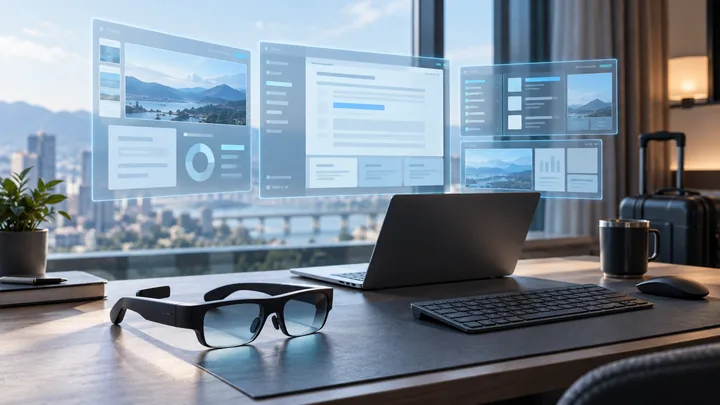
For a desk setup, define a small trial rather than judging a promotional animation. Open the documents you normally use, check readable text at your preferred scale, turn your head, lean in each direction and recenter. Record whether the chosen mode does what you expect, whether the application continues running reliably, and whether the hardware remains comfortable. These are suggested buyer checks, not results we have obtained.
For travel, ask how the mode is intended to behave in a moving vehicle rather than assuming a mode designed around a room will behave identically. For interactive spatial applications, verify the application’s tracking and input requirements explicitly. More degrees of freedom are useful only when the rest of the workflow can use them.
Questions to ask before ordering
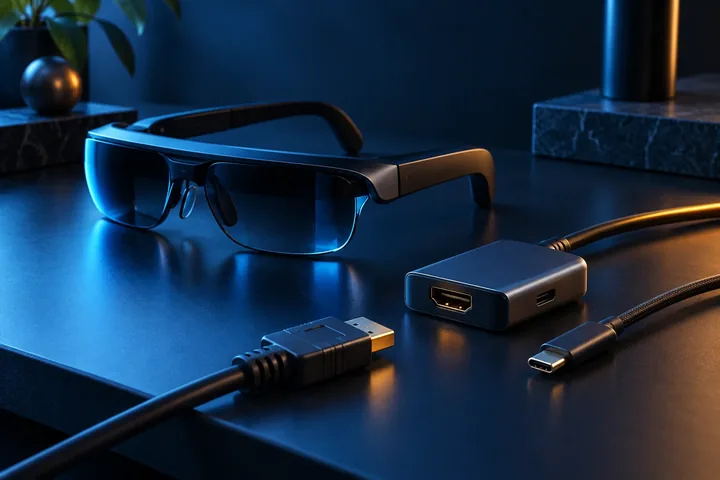
First, name the complete configuration: glasses model, camera or tracking accessory, source device, operating system, app and firmware. Then ask whether the required behavior works in direct video mode or only inside a specific app. Include any separately required accessories in the total cost; do not treat an optional module shown in a photograph as an included item.
Next, ask what happens when tracking is unavailable and whether recentering is needed after a posture change or reconnection. Confirm the return terms before using a purchase as a compatibility experiment. If a seller only repeats “6DoF,” ask for the manufacturer page documenting your intended workflow rather than assuming support from the acronym.
Common questions about AR head tracking
Does 3DoF mean the screen always moves with my face? No. Tracking capability and the chosen viewing mode are separate. A product can use rotational information to stabilize a screen or offer a follow mode; inspect its actual controls.
Does 6DoF automatically give me hand tracking or multiple monitors? No. Those are separate capabilities supplied by supported hardware and software. A device can track head position while lacking a particular interaction feature.
Can software make any display glasses into a 6DoF device? Do not assume so. True positional tracking needs a supported tracking system, and the application must use its data. An image displayed successfully over USB-C establishes video compatibility, not the complete spatial feature set.
What should I prioritize? Begin with the task and the complete documented configuration. Use HoloNexa’s comparison and product research links above to narrow the hardware, then verify the specific tracking workflow with the official sources below.
Guide details and methodology
All insightsTechnology explainer
Understand 3DoF vs 6DoF AR glasses, screen pinning and head tracking, plus the accessories and software to check before buying.
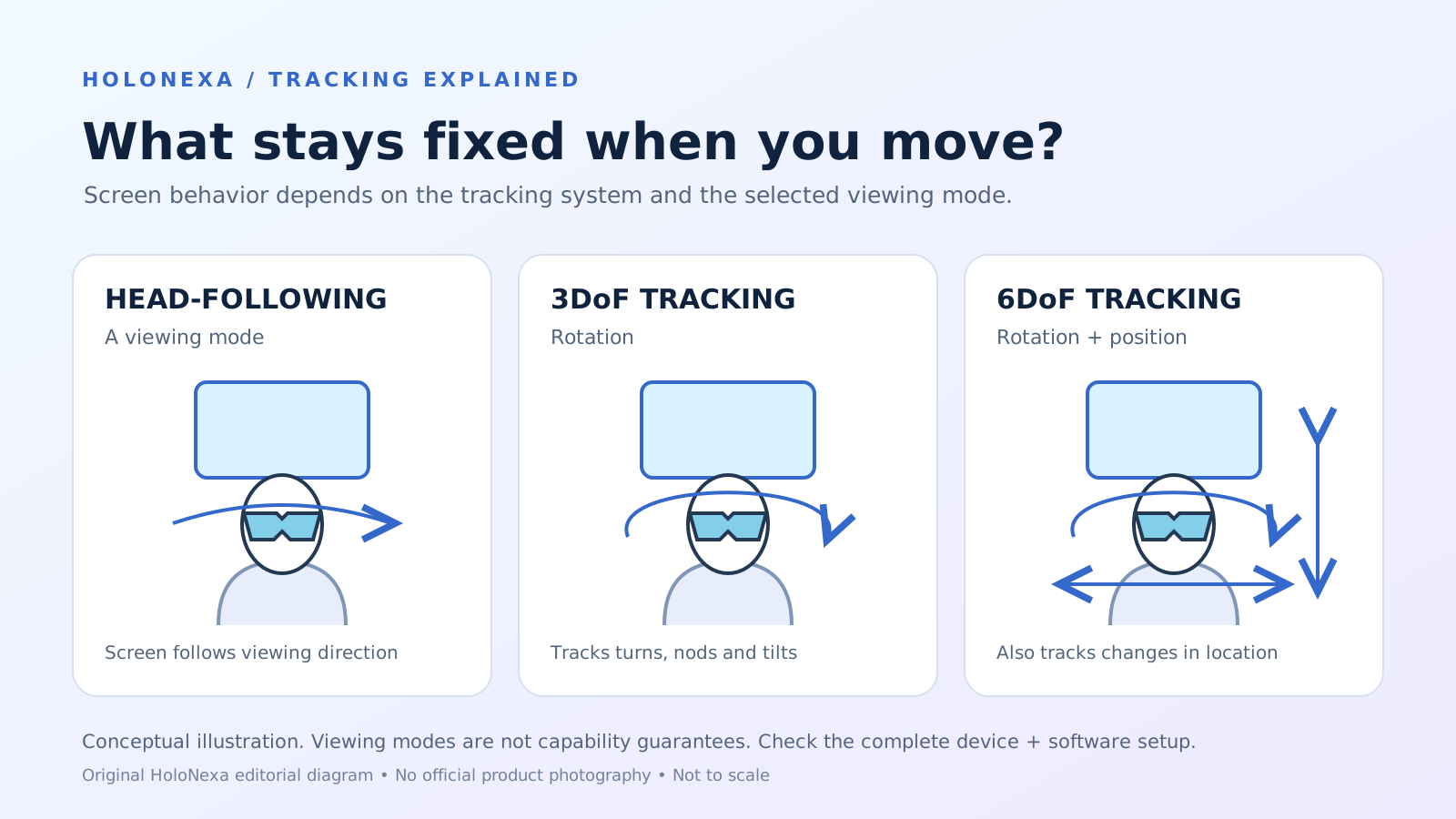 Original HoloNexa editorial illustration. It is not an official product photograph.
Documented compatibility can change with hardware, software and accessory revisions. No hands-on testing is claimed.
Recorded US prices
- RayNeo GT Max$429 · Price checked: November 2, 2026 · Official price source
- VITURE Luma Ultra$599 · sold out · Price checked: November 2, 2026 · Official price source
- XREAL One Pro$599 sale · regular $649 · Price checked: November 2, 2026 · Official price source
This status applies to the price record only; specifications, compatibility and final availability require separate confirmation.
This research-based guide uses manufacturer documentation for product facts. Evaluation and buying guidance are independent analysis; it is not presented as hands-on testing.
Official sources
Specifications, availability and program terms can change. Confirm current information on the linked manufacturer pages.
- W3C WebXR Device API — terminology and actively tracked versus emulated position
- XREAL SDK — One Series native tracking and device descriptions
- XREAL Eye — screen anchoring and camera-capture requirements
- XREAL SDK — feature and software compatibility matrix
- RayNeo — GT Series 3DoF viewing modes
- VITURE Academy — SpaceWalker Desktop tracking, layouts and host requirements