Do AR glasses cause eye strain? What the evidence and certifications actually mean
The short answer: temporary visual fatigue is possible
AR glasses can cause eye strain, headache, dryness, blurred vision or dizziness for some users, particularly during long, visually demanding sessions. That does not establish that ordinary use permanently damages healthy eyes. It does mean that comfort claims should be treated as risk-reduction features rather than a guarantee that every wearer can use every device for hours without symptoms.
A recent laboratory study published in 2026 tested a method for detecting short-term changes in accommodation, convergence and fatigue with a binocular optical see-through AR device in 30 participants. Other small studies have reported increased subjective fatigue or temporary changes in eye-focusing responses after AR tasks. Those findings are useful warnings, but they are not long-term safety verdicts for every modern pair of consumer glasses.
Why a virtual image can still make the eyes work
In normal vision, the eyes turn inward and change optical focus together as an object moves closer. Many near-eye displays present stereoscopic cues that make content appear at different depths while the optical image remains focused at one fixed distance. Researchers call the mismatch vergence–accommodation conflict. It can contribute to visual discomfort when depth cues, text placement or a demanding task ask the visual system to respond in conflicting ways.
The American Academy of Ophthalmology explains the same basic issue for AR, VR and stereoscopic viewing: the eyes may converge toward an apparently near object while still focusing on the display plane. This does not mean every two-dimensional movie or mirrored desktop creates the same demand as complex 3D content. Content design, apparent depth, display optics, alignment and the individual viewer all matter.
What current studies show—and what they do not
A 2024 self-controlled study of 20 healthy young adults compared reading and video viewing with AR glasses and a laptop. Reading speed and efficiency were lower with the glasses, and reported visual fatigue after a 20-minute video was higher. A separate experiment with 16 participants found temporary changes in two accommodation-related measures after a demanding AR task, while two vergence measures did not significantly change.
These are small, device-specific studies with short exposure periods. They cannot prove that all AR glasses are worse than all monitors, predict one buyer's response or answer questions about years of use. They do show why broad phrases such as ‘eye safe’ or ‘fatigue free’ should not replace a personal fit test and sensible session limits. HoloNexa found no basis in these sources for claiming that a certification eliminates visual fatigue.
Eye-comfort certification is useful, but limited
Manufacturers increasingly cite third-party eye-comfort programs. XREAL says several models have TÜV Rheinland certifications covering areas such as low blue light, flicker, color accuracy and eye comfort. VITURE lists SGS Eye Strain A+ certification for Pro 2. These statements can help buyers identify documented display characteristics and should be checked against the exact model rather than assumed across a brand.
A certification evaluates specified criteria under a defined test program. It does not examine your prescription, interpupillary distance, binocular vision, face shape, content, ambient light or daily session pattern. It also does not turn a manufacturer's recommended wearing time into a medically universal limit. Ask which exact standard, model and test scope support the badge—and still stop when symptoms appear.
Fit, focus and prescription can change comfort
A sharp image for one eye is not enough. Both eyes need stable access to the optical sweet spot, with the frame centered and the nose pads holding the display at the intended height and distance. Cropped edges, unequal sharpness, double images or a need to strain toward the corners can point to alignment, IPD or prescription problems rather than insufficient display resolution.
Use the manufacturer's documented prescription route. XREAL warns that stacking ordinary glasses beneath some AR glasses can add weight, destabilize the frame and create spacing that contributes to eye strain; it recommends dedicated prescription lenses for long-term use. Built-in myopia dials can be convenient within their published range, but they do not automatically correct astigmatism, prism or every difference between the eyes.
Brightness, contrast and ambient light
More brightness is not automatically more comfortable. A display that is far brighter than its surroundings can feel harsh, while insufficient brightness can make text and edges difficult to resolve. Match brightness to the room, use the lens shade or electrochromic control only when appropriate, and avoid reflections that force repeated refocusing. The Academy's general digital-eye-strain guidance similarly recommends balancing screen brightness with ambient light and reducing glare.
Outdoor use creates a different problem: the real scene can overwhelm a transparent image. Turning the display to maximum brightness may improve visibility without fixing alignment or contrast. Buyers should treat maximum-nit claims as capability limits, not a recommended continuous setting or a direct measure of eye comfort.
How long should you wear AR glasses?
There is no single evidence-based duration that fits every user and device. Follow the instructions for the exact product, begin with short sessions and increase only if the image stays clear and comfortable. XREAL's R1 guidance recommends a 10-minute break after 45 to 60 minutes of continuous use. Another XREAL product FAQ advises breaks every one to two hours, looking into the distance and keeping ambient lighting moderate. VITURE lists a suggested wearing time of three to four hours for Pro 2, but that product specification should not be interpreted as a symptom-free promise.
A conservative routine is to schedule breaks before discomfort becomes strong. Blink normally, look at distant real-world objects, change posture and reassess focus after putting the glasses back on. If one model's documentation supplies a shorter limit, use that instruction. Children, people with eye conditions and users who already struggle with binocular 3D viewing need product-specific and professional guidance rather than a generic internet rule.
A practical comfort test during the return window
Test the glasses with the exact source device and tasks you intend to use. Start with a static, high-contrast menu and confirm that both eyes see a complete, stable image. Adjust nose pads and temples, then read ordinary text at the center and edges without forcing an unusually small font. Try a short video, a scrolling page and—if relevant—spatial or stereoscopic content separately so you can identify which workload triggers symptoms.
Repeat the test under typical room lighting and note when discomfort begins. Check nose and temple pressure as well as visual symptoms: frame tightness itself rises with prolonged wear and was associated with greater reported discomfort in a 200-participant ergonomics study. Keep the packaging and return deadline. A display that is impressive for five minutes but uncomfortable during your real session is not a good fit.
When to stop and seek professional advice
Stop using the glasses if you develop persistent blurred or double vision, eye pain, pronounced headache, nausea, dizziness or loss of situational awareness. Rest before testing again and do not drive, cycle, operate equipment or walk in a hazardous environment while a wearable display obstructs attention. Persistent, recurrent or severe symptoms deserve assessment by an eye-care or medical professional, especially when they also occur without the glasses.
This article is educational and not medical advice. A certification, low-blue-light mode or successful short demo cannot diagnose a focusing, alignment or dry-eye problem. The American Academy of Ophthalmology advises professional evaluation when screen-related redness, blur, watering, light sensitivity or pain is consistent. Follow the device's safety manual and age restrictions in addition to general screen-use guidance.
HoloNexa analysis: comfort should be tested, not inferred from a badge
The best purchasing decision combines three layers of evidence: the manufacturer's exact safety and fitting instructions, independent test or certification details for the exact model, and a return-window trial using the buyer's prescription and real workload. None is sufficient alone. A third-party badge can document useful engineering work, but personal comfort still depends on optics, content, fit and session behavior.
For productivity buyers, readable text at comfortable scaling and stable alignment are more valuable than the largest advertised virtual-screen size. For entertainment, the relevant test is whether a full film or gaming session remains comfortable with planned breaks. HoloNexa's conclusion is deliberately narrower than a medical claim: AR glasses can be comfortable for many uses, but current evidence supports cautious session planning and individual testing—not the promise of universally strain-free wear.
Frequently asked questions
Can AR glasses permanently damage your eyes? The sources reviewed here document temporary discomfort and short-term visual-system responses, not proof that ordinary consumer use permanently damages healthy eyes. Can blue-light or eye-comfort certification prevent strain? It may document useful display characteristics, but it cannot account for every user, fit, prescription or task. Are AR glasses better for the eyes than a phone? Some manufacturers argue that a longer virtual focal distance can help; small studies do not justify a universal comparison across all devices and workloads.
Why do AR glasses give me a headache? Possible contributors include optical misalignment, an incorrect prescription, vergence–accommodation conflict, brightness, glare, dryness, frame pressure or motion. Stop and troubleshoot one variable at a time. Should children use AR glasses? Follow the exact product's age guidance and seek appropriate professional advice; adult studies should not be generalized to children. How often should I take a break? Use the product manual and your symptoms; XREAL's cited R1 guidance recommends ten minutes after 45 to 60 minutes.
Guide details and methodology
All insightsTechnology explainer
Do AR glasses cause eye strain? Learn why visual fatigue can happen, what comfort certifications mean, how to plan breaks and when to stop.
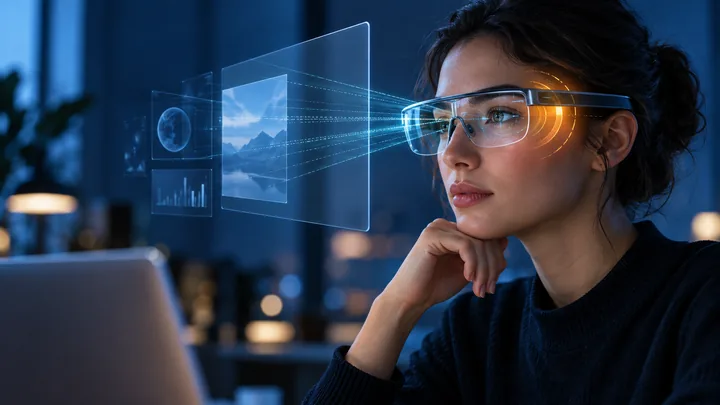 Original HoloNexa editorial illustration. It is not an official product photograph.
Documented compatibility can change with hardware, software and accessory revisions. No hands-on testing is claimed.
Recorded US prices
- Rokid Max 2$249 sale · regular $399 · Price checked: November 2, 2026 · Official price source
- VITURE Pro 2$299 · Price checked: November 2, 2026 · Official price source
- XREAL One Pro$599 sale · regular $649 · Price checked: November 2, 2026 · Official price source
This status applies to the price record only; specifications, compatibility and final availability require separate confirmation.
This research-based guide uses manufacturer documentation for product facts. Evaluation and buying guidance are independent analysis; it is not presented as hands-on testing.
Official sources
Specifications, availability and program terms can change. Confirm current information on the linked manufacturer pages.
- XREAL Tutorials: R1 eye-comfort FAQ and break guidance
- XREAL US Shop: AR glasses eye-comfort certification FAQ
- XREAL Tutorials: prescription-lens fit and discomfort guidance
- VITURE Academy: Pro 2 specifications and SGS certification claim
- American Academy of Ophthalmology: digital eye strain and AR/VR
- PubMed: The effect of augmented reality technology on human eye and psychomotor fatigue
- PubMed: Adaptive responses of accommodation and vergence following AR exposure
- PubMed: AR glasses, visual efficiency and digital eye fatigue
- PubMed: prolonged wear, frame tightness and AR-glasses comfort