
USB-C cable for AR glasses: a replacement buying guide
Which replacement cable should you buy?
Choose the replacement specified for your exact glasses model, with explicit support for the required video connection. Start with the supplied cable or a manufacturer-confirmed replacement. A familiar connector shape, a high charging wattage or a marketplace title containing “AR” is not enough information to make a purchase decision. This guide helps you build a sensible shortlist rather than declaring an untested universal winner.
It is for owners replacing a lost lead, building a travel spare kit or investigating a cable that behaves differently from the original. Skip buying another cable if your real problem is an unsupported source port, the wrong adapter direction or an application-specific feature. We have not tested cable samples. Manufacturer instructions establish the examples below; the buying process and comparisons are editorial guidance.
What do the official instructions actually establish?
XREAL’s ROG XREAL R1 connection instructions specify the included USB-C cable for direct connection to a compatible DP Alt Mode or Thunderbolt 4 source. They separately describe the ROG Control Dock route for HDMI or DisplayPort sources. The manual does not establish that every third-party cable with the same plugs supports every function of the glasses.
RayNeo’s GT-series support page identifies a DP-compatible USB-C cable in the box. Its black-screen checklist begins with reconnecting that cable, unlocking the source, checking brightness, confirming the source’s DisplayPort Alt Mode support and checking adapter power. Those are model-specific troubleshooting instructions, not a claim that a replacement cable fixes every black screen.
Why is a charging label an incomplete buying specification?
Ask two different questions: can the source supply the required display signal, and is the proposed connection documented to carry it to these glasses? XREAL explicitly warns that charging-and-data-only source ports do not directly output video. Replacing the lead cannot add an output capability missing from the source. Keep the source model and the exact port in the same shopping note as the glasses model.
For the cable itself, request an explicit video specification and confirmation for your intended combination. Amphenol’s AR-cable documentation illustrates the distinction by describing dedicated high-speed video/data wiring alongside power and configuration wiring. That engineering example is not a retail recommendation or proof of compatibility with a named pair. Avoid turning a cable’s charging headline into a promise about the whole display chain.
What should you ask the seller before ordering?
Send a short, precise compatibility question: “I have this glasses model, this source device and this adapter, if any. Is this exact cable intended for that connection, and which limitations apply?” Save the answer with the product identifier. A response about a different generation, bundle or generic monitor is not confirmation for your setup. If the seller cannot identify the item being discussed, keep looking.
Check the complete delivered cost, return period and who handles a compatibility return. A cheaper spare that cannot be returned may be a poor experiment. Ask whether the cable replaces the glasses-side lead or another cable elsewhere in the system. A charging cable supplied for a compute device should not be assumed to replace its display connection. Do not buy multiple identical spares until one documented candidate meets your needs.
How do connector shape and cable length affect the choice?
Treat physical fit as a separate requirement from electrical support. Compare the connector housing with the original and check whether a phone case, glasses arm or adapter enclosure obstructs insertion. Ask the manufacturer about an angled connector when the original uses one. Do not force a plug into place or choose an orientation that requires twisting the glasses arm to route the lead.
Choose a length for the actual source location: a pocket, a handheld or a desk. More length is not automatically more useful when the excess must be managed near your face. Equally, a short cable that pulls during ordinary movement can be an inconvenient purchase. These are shopping considerations, not measured durability or signal-quality findings. We provide no universal maximum length because the official examples reviewed do not establish one.
How should you compare an official replacement with alternatives?
An exact manufacturer replacement is the simplest starting point when support confirms the model and region. A third-party video cable is a candidate only after its documentation and seller response address the same setup. Neither brand recognition nor a large specification badge replaces that check. Keep written evidence of what was promised rather than relying on a search-result excerpt or an image of a similar connector.
A powered adapter solves a different purchasing problem from a replacement lead. An HDMI source may require a documented conversion route, while phone charging during viewing may require a compatible charging hub. Compare the complete setup, not isolated accessory prices. Our HDMI adapter and phone-charging guides explain those branches; adding adapters simply to avoid choosing the right lead creates more variables to investigate.
What should you check during the return window?
Use a simple comparison record. Write down the source, glasses, adapter, software and content used for each attempt. Begin with the manufacturer-described connection. Where the original lead still works, retain it as the reference. Change one item at a time so that a successful or failed result has meaning. A different app, source and cable all changed together cannot isolate the cause.
Check the workflow you bought the cable for, including reconnecting after an ordinary break and using the intended case or desk arrangement. A visible home screen does not establish that every application, display mode or accessory works. If the connection is intermittent, stop repeatedly bending or stressing the lead to provoke a result. Record the circumstances and use the manufacturer’s support process rather than attempting connector or socket repairs.
When should you stop shopping and contact support?
Contact support when the supplied connection fails on a documented compatible source, when the socket or connector appears damaged, or when the required replacement is not clearly identified. RayNeo asks for the glasses model, source-device model and connection method when its initial checks do not resolve the problem. Include those details and distinguish what you observed from what you suspect.
The useful purchase is the one that removes a known limitation. If the evidence points to source compatibility, a different cable is only another expense. If the original works and the candidate does not, report that controlled comparison without claiming a definitive hardware diagnosis. Keep the return deadline visible while waiting for support. This guide reserves no recommendation for an accessory whose compatibility remains undocumented.
Guide details and methodology
All insightsPractical guide
Choose a USB-C cable for AR glasses with checks for video support, exact model compatibility, connector fit and returns before buying a replacement.
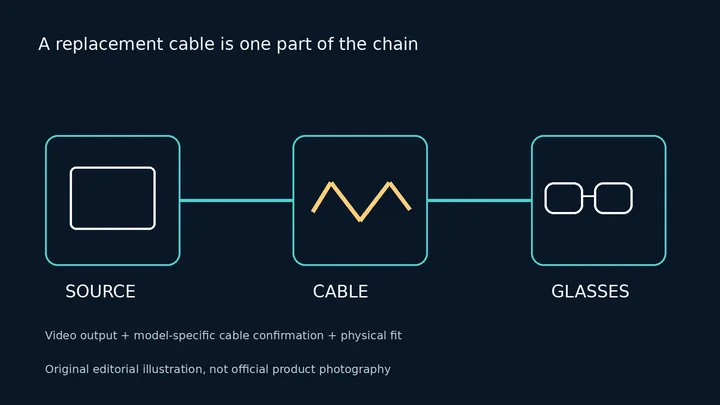 Original editorial illustration, not official product photography
Documented compatibility can change with hardware, software and accessory revisions. No hands-on testing is claimed.
Recorded US prices
- ROG XREAL R1$849 · Price checked: November 2, 2026 · Official price source
This status applies to the price record only; specifications, compatibility and final availability require separate confirmation.
This research-based guide uses manufacturer documentation for product facts. Evaluation and buying guidance are independent analysis; it is not presented as hands-on testing.
Official sources
Specifications, availability and program terms can change. Confirm current information on the linked manufacturer pages.