Smart glasses with a display vs without one: which type should you buy?
Smart glasses can be camera-and-audio wearables, private heads-up displays or immersive personal screens. Learn which category fits your real use case.
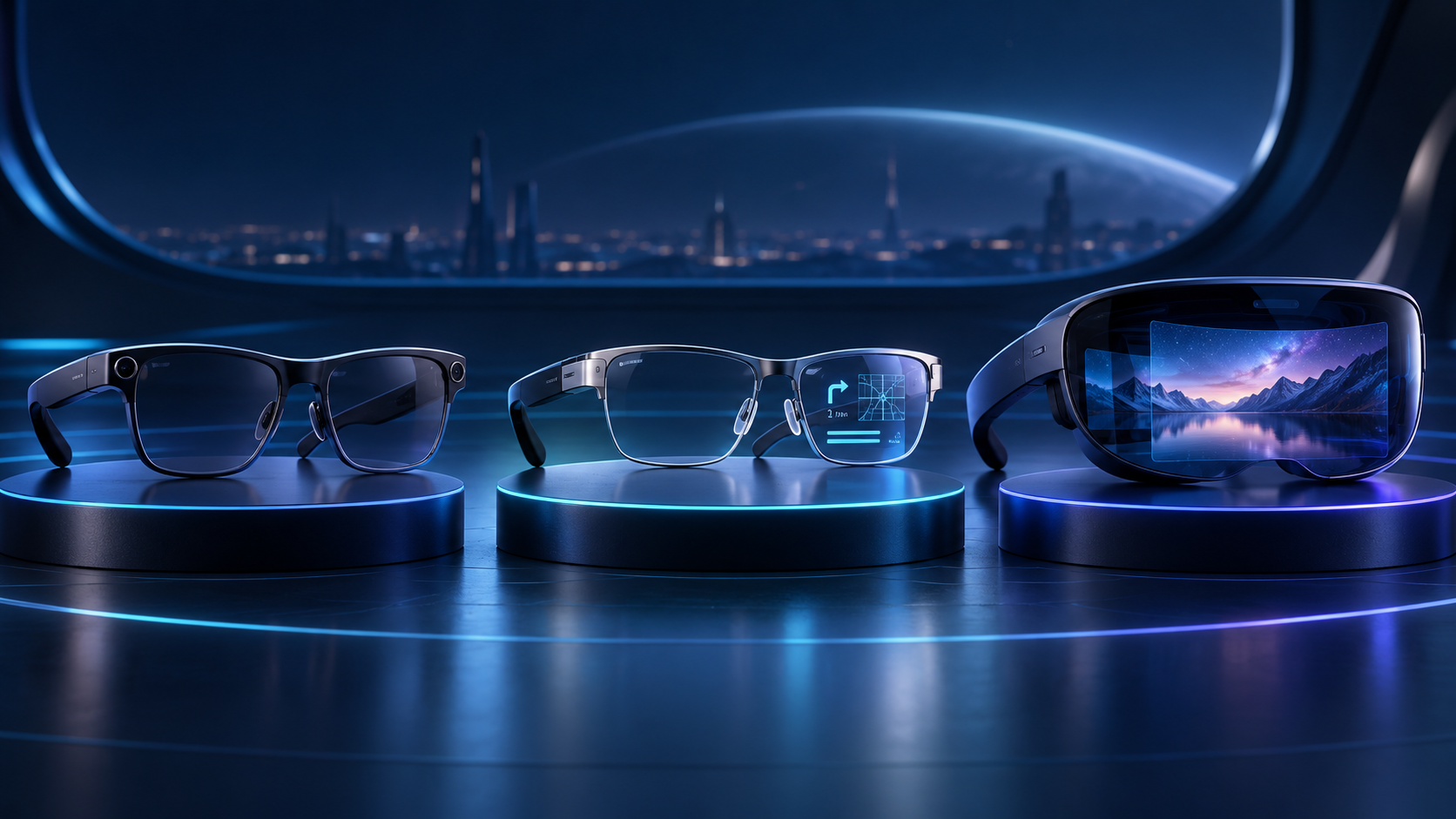 Original HoloNexa editorial illustration. It is not an official product photograph.
Documented compatibility can change with hardware, software and accessory revisions. No hands-on testing is claimed.
This research-based guide uses manufacturer documentation for product facts. Evaluation and buying guidance are independent analysis; it is not presented as hands-on testing.
The short answer: the display changes the job
Not all smart glasses put information in front of your eyes. The label now covers at least three useful but fundamentally different products: camera-and-audio glasses with no visual display, transparent heads-up glasses that show compact information, and immersive display glasses that behave like a private monitor. Choosing among them starts with the task—not with the broad words ‘AI’ or ‘AR’ on a product page.
Choose camera-and-audio glasses when hands-free capture, calls and voice assistance matter most. Choose a transparent heads-up display for captions, prompts, navigation or short visual answers. Choose immersive display glasses for films, games or a large private screen connected to a compatible phone, computer or console. One category is not automatically more advanced than another; each accepts different compromises in weight, battery, privacy, attention and source compatibility.
Category one: camera-and-audio glasses without a display
Ray-Ban Meta illustrates the no-display category. Meta’s official material describes a camera, open-ear speakers, microphones, hands-free calls, messaging, music and AI assistance. The current generation also includes a visible capture LED. What it does not provide is an in-lens screen: the wearer receives responses through audio and uses the camera for photos, video and visual queries.
This design can look and feel closer to ordinary eyewear because it does not need to place a projector and display optics in front of the eye. It is well suited to people who want to document a moment, listen, call or ask a question without holding a phone. The limitation is equally clear: it cannot privately show a caption, map arrow, teleprompter line or notification inside the lens. A camera also changes the social and workplace privacy calculation even when an indicator light is present.
Category two: transparent heads-up AI glasses
Heads-up glasses add a small visual layer while preserving a view of the real world. RayNeo describes the iO as camera-free AI glasses with a transparent display, live captions and translation. Its official page claims 33 grams, up to two days of use, 97 percent light transmission and a virtual image optically equivalent to 33 inches viewed from two metres. These are manufacturer specifications, not independent HoloNexa measurements, and some advanced AI services require a paid subscription.
Meta Ray-Ban Display takes a different route. Meta specifies a 600-by-600-pixel full-colour display in the right lens, a 12-megapixel camera and a Neural Band that interprets muscle activity for gesture input. It can show messages, images, navigation and visual AI answers. These two examples demonstrate why ‘glasses with a display’ is still too broad: one prioritizes camera-free captions and prompts, while the other combines a monocular display, camera and wrist input. Buyers should check which eye receives the display, prescription options, regional features and whether the visible area suits their exact task.
Category three: immersive display glasses for a private screen
Immersive display glasses such as XREAL 1S are designed primarily as wearable screens. They can be valuable for video, games and private desktop viewing because the image occupies much more of the wearer’s field of view than a compact heads-up prompt. They usually depend on an external source and a supported video connection rather than behaving like fully independent AI glasses.
That dependency is the central buying test. A USB-C connector alone does not guarantee video output: the source may need DisplayPort Alt Mode, and some iPhones, consoles or HDMI devices require a documented adapter or companion accessory. Buyers should verify the exact phone, laptop or console against the manufacturer’s current connection guidance. HoloNexa’s separate USB-C compatibility guide explains this before-purchase check in detail.
A practical comparison by use case
For hands-free photos, short videos, calls and audio-first AI, no-display glasses are usually the most direct fit. For live captions, translation, discreet prompts, turn-by-turn cues or a teleprompter, a transparent heads-up display offers information without replacing the surrounding scene. For films, cloud gaming or a large private workspace, immersive display glasses provide the most screen-like experience—provided the source and accessories are compatible.
There are important overlaps, but they should not erase the main purpose. A heads-up product may play limited media without matching an immersive screen, and immersive glasses may add sensors or spatial features without becoming comfortable all-day eyewear. Write down the two tasks you will repeat every week. If a product’s strongest documented workflow does not match either task, its impressive specification list is unlikely to rescue the purchase.
What specifications actually matter
For a display product, check whether the image is monocular or binocular, the field of view, resolution, brightness behavior, transparency and whether the manufacturer publishes an eye-box or prescription solution. A large ‘virtual screen’ number is an optical equivalence, not a physical panel floating at a universally fixed size. Readability outdoors, edge clarity, motion comfort and fit still require credible hands-on testing.
Across all three categories, check weight, controls, open-ear audio leakage, battery conditions, charging case behavior, companion-app requirements and country availability. For camera models, examine the capture indicator and data controls. For AI services, identify which functions are processed on-device or in the cloud, whether a phone connection is required and which features cost extra. For immersive models, verify the input signal and every adapter before purchasing.
Privacy: camera-free does not mean data-free
Removing the camera can reduce bystander-recording concerns, which is meaningful in workplaces and social settings. It does not make a device automatically private. Microphones, transcripts, location, accounts, companion apps and cloud AI requests may still process sensitive information. Conversely, a camera-equipped pair is not automatically unsuitable, but its use needs clear notice, restricted areas and deliberate data controls.
Organizations should evaluate the exact sensors and data flow rather than approving or banning every product carrying the smart-glasses label. Consumers should review permissions, recording indicators, deletion controls and account security. HoloNexa’s workplace privacy checklist provides a more detailed policy framework for managed deployments.
Buying checklist before you choose
First, define the recurring task and decide whether the answer should reach your ears, appear as a small visual cue or fill a private screen. Second, confirm the exact source device, operating system, region, language and account requirements. Third, check prescription support, weight distribution, battery claims for your intended workload, returns and warranty. Fourth, add the cost of required adapters, companion hardware and subscriptions.
Finally, use the return window as a real evaluation period. Test text readability, outdoor visibility, audio leakage, eye comfort, heat, fit and the complete workflow—not only a demo clip. HoloNexa has not laboratory-tested every model referenced here. Product specifications are attributed to their manufacturers and were verified on September 28, 2026; comfort and practical performance still need independent evidence.
HoloNexa analysis: the market is splitting, not converging
The evidence suggests that smart glasses are developing into several durable categories rather than one device immediately replacing all others. Camera-and-audio glasses minimize optical complexity, heads-up displays prioritize glanceable context, and immersive glasses maximize private screen area. Combining every capability can add weight, power demand, cost and social friction.
That split is useful for buyers because it makes the first question simpler: what should happen in front of your eyes? ‘Nothing’ is a valid answer when capture and audio are the goal. A small transparent cue is appropriate when awareness matters. A large private image is appropriate when immersion matters. The best purchase is therefore the least complicated category that completes the intended job reliably.
Frequently asked questions
Do all smart glasses have a display? No. Some combine cameras, microphones, speakers and AI without placing an image in the lens. Are no-display AI glasses augmented reality? Not in the usual visual-overlay sense; they can understand or respond to the environment without augmenting the wearer’s view. Can immersive display glasses replace a monitor? They can for some media and portable-work scenarios, but compatibility, comfort and text clarity determine whether they are practical for long sessions.
Are camera-free glasses completely private? No. They may still use microphones, accounts, apps and cloud services. Which type is best for gaming? Immersive display glasses are normally the closest match, but buyers must verify the console or computer connection and latency-sensitive accessories. Which type is best for captions? A transparent heads-up display with documented caption support is the relevant category; language availability and subscription terms should be checked before buying.
Official sources
Specifications, availability and program terms can change. Confirm current information on the linked manufacturer pages.