XREAL One Pro: premium spatial viewing examined
What One Pro actually is
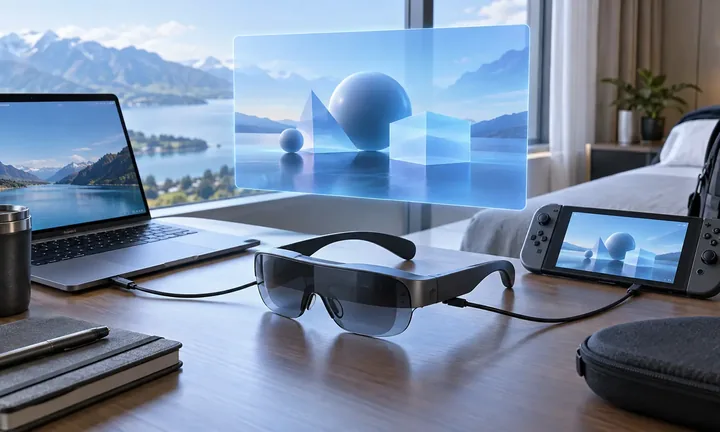
One Pro is a pair of tethered personal display glasses. A compatible phone, computer or gaming device supplies the content and power; the glasses place a virtual screen in the wearer's view. This can solve a small-screen problem without carrying a conventional monitor. It does not put an image in the room for other people to watch.
Its distinguishing feature is XREAL's X1 chip, which handles native three-degree-of-freedom screen positioning in the glasses. That reduces the need for a separate spatial-processing accessory for basic anchoring. It does not turn the glasses into a standalone computer with their own independent app library. HoloNexa has not worn or measured this unit; the assessment below separates documented features from purchasing analysis.
Confirmed specifications and US price
Recorded US price for XREAL One Pro: $599 sale · regular $649. Price checked: November 2, 2026. Exact official price source: https://us.shop.xreal.com/products/xreal-one-pro. This is a dated configuration reference, not a live quote; taxes, shipping and final retailer pricing may differ.
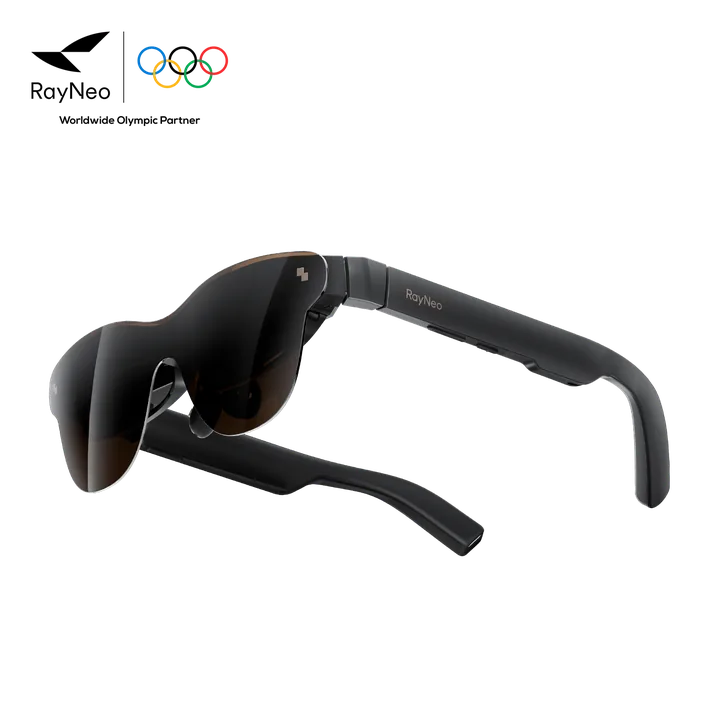
XREAL's official One Series specification table lists a 57° field of view, Sony 0.55-inch Micro-OLED displays, 1920 × 1080 resolution, a maximum 120 Hz refresh rate, 700 nits highest perceived brightness, 87 g weight, three electrochromic tint modes and Sound by Bose. XREAL also specifies 3 ms motion-to-photon latency. These are manufacturer figures; that latency is not our measurement of the complete console-to-display gaming chain.
A wider field of view describes the angular extent of the visible display, not extra resolution. Likewise, an advertised virtual diagonal is an apparent size at an assumed distance, not a physical screen. Compare legibility and usable field of view for your task rather than treating a large inch figure as proof that it replaces a desktop monitor.
Anchor, Follow and the limits of spatial viewing
Native 3DoF Anchor mode keeps the screen facing a chosen direction as you rotate your head. Follow mode moves the screen with your view. Rotation tracking and tracking your position through a room are different capabilities: the official store says 6DoF requires the optional XREAL Eye. Do not budget for a glasses-only purchase while assuming that accessory-dependent behavior is included.
For a seated film or game, the useful question is whether the chosen mode lets you look comfortably at the picture and away from it. For productivity, ask whether you need one display, an ultrawide desktop or several independent applications. Those are different workflows. A mode name alone does not establish that every phone, console or operating system can provide the workspace you want.
Connection checklist before ordering
XREAL's connection tutorial requires DisplayPort video output and a 5 V/1 A power supply. A USB-C port that only charges or transfers data is insufficient. With supported USB-C DP output, the supplied cable connects directly; HDMI sources need the appropriate HDMI-to-USB-C path. Check adapter direction and power requirements rather than buying a cable solely because its plugs fit.
The same tutorial names XREAL Hub for Switch connections and HDMI-C adapters for PlayStation, Xbox and HDMI computers. Confirm the exact console generation and current accessory compatibility before paying. XREAL's feature matrix also distinguishes sources: for example, it lists ultrawide support for Windows and MacBook but not for non-Lightning iPhone or the listed consoles. The company cautions that model and system version can affect features.
There is no built-in battery in the One Series glasses; unplugging the source removes power. That means the source battery and access to charging are part of a travel setup. Write down the full route from source to adapter to glasses, including charging, and confirm it against official instructions. Streaming-service restrictions and your own app behavior still deserve checking on the exact setup.
Fit, IPD and prescription planning
The US store offers M for 57–66 mm interpupillary distance and L for 66–75 mm. Measure IPD before choosing. The specification table also identifies software IPD adjustment, but software does not eliminate the need to select the appropriate physical optics. Fit involves nose position, frame angle and whether the entire image is visible, not merely whether the arms feel secure.
The box list includes a prescription frame without corrective lenses, nose pads, a cable and a case. Corrective lenses are a separate purchase. XREAL's prescription-ordering page accepts sphere, cylinder and axis details and warns that custom lenses are generally non-returnable except for quality issues. Check your prescription and the lens provider's current terms before adding custom work to an untried frame.
Analysis: who it suits and who should hesitate
Our analysis: One Pro is most defensible for someone who repeatedly needs a private display while seated, already owns a compatible source and values native directional anchoring. A traveler watching downloaded media, a handheld gamer wanting a larger view or a laptop user needing an occasional secondary display has a concrete problem to evaluate. Frequency matters: a premium accessory used twice a year has a weaker case than one used every week.
A shared household screen, a color-critical workstation and a room-scale mixed-reality system are different purchases. One Pro cannot provide shared viewing, and we have no independent measurements here that establish professional color accuracy, edge clarity, audio privacy or comfort over a working day. Manufacturer calibration and comfort claims should not be rewritten as our test results.
Use the return period, subject to current terms, to check ordinary small text, a complete viewing session, nose pressure, cable placement and your actual applications. If you need frequent keyboard work while seeing the room, compare that experience with a normal portable monitor. The glasses earn their price only if the full routine improves, not simply because a demonstration looks large.
Alternatives already in the HoloNexa catalogue
Start with XREAL 1S and ROG XREAL R1, both linked above. They keep the comparison inside the same ecosystem while posing different questions: do you mainly need everyday portable viewing, or is gaming the priority? Compare current official configurations and total accessory cost; this guide does not imply that either is a measured winner or that catalogue prices are live quotations.
Rokid Max 2 and VITURE Pro 2 are also catalogue alternatives for personal display use. They are relevant because they address a similar viewing task, not because all spatial modes or accessories are interchangeable. Read their own compatibility and fit guidance before choosing. BleeqUp camera-and-audio sports glasses do not solve this display problem and are not a substitute shortlist for One Pro.
FAQ: does it work without a phone or computer?
Not as an independent media player. One Series glasses need an external source for power and content. A compatible computer or handheld can be that source; a phone is not mandatory, but some supported source is.
FAQ: do I need Beam Pro or XREAL Eye?
Basic supported USB-C viewing and native 3DoF do not require Beam Pro. Eye is required for the 6DoF feature described in the official store. Decide whether you need that feature before adding accessories; do not assume that a bundle is necessary for every use.
FAQ: is 120 Hz guaranteed in every game?
No. It is the documented maximum display refresh rate. Source output, connection path, selected mode and the application's delivered frame rate all matter. This guide supplies no measured gaming latency or frame-rate benchmark.
FAQ: should an existing owner replace it with 1 Pro+?
The dated update identifies a reason for new buyers to compare, not proof that owners need an upgrade. Ask which new capability solves a recurring problem, verify firmware availability for your existing model and include any accessory changes. We have not tested the two products side by side and cannot establish a personal comfort or image-quality improvement from specification pages alone.
Guide details and methodology
All insightsBuyer’s guide
A source-based buying guide to One Pro's private display, native tracking, US price, fit and connection limits, with a current check against XREAL 1 Pro+.
 Original HoloNexa editorial illustration. It is not an official product photograph.
Documented compatibility can change with hardware, software and accessory revisions. No hands-on testing is claimed.
Recorded US prices
- XREAL One Pro$599 sale · regular $649 · Price checked: November 2, 2026 · Official price source
This status applies to the price record only; specifications, compatibility and final availability require separate confirmation.
This research-based guide uses manufacturer documentation for product facts. Evaluation and buying guidance are independent analysis; it is not presented as hands-on testing.
Official sources
Specifications, availability and program terms can change. Confirm current information on the linked manufacturer pages.
- XREAL US shop: One Pro price, IPD choices and box contents — checked October 20, 2026
- XREAL Tutorials: official One Series specifications
- XREAL Tutorials: source connections, power and feature matrix
- XREAL: One Pro modes and optical overview
- XREAL US shop: prescription lens options and custom-order limits
- XREAL: official 1 Pro+ features — checked October 20, 2026
- XREAL US shop: 1 Pro+ price and size-specific shipping