RayNeo Air 4 Pro vs Rokid Max 2: Specs and Buying Guide
Affiliate disclosure: Links may earn HoloNexa a commission at no extra cost to you.
Which pair should you shortlist?
Editorial analysis: shortlist RayNeo Air 4 Pro when documented HDR10 support is your main display priority. Shortlist Rokid Max 2 when its wider published field of view matters more and you understand the difference between standalone glasses and a Station 2 system. Neither choice should be made before checking your source device. This is a specification-based comparison, not a claim that either pair looks better in person.
The useful question is which documented capabilities fit your existing equipment and intended viewing. A film viewer, a laptop user and someone considering a separate computing unit have different requirements. The table below compares manufacturer claims; the following sections explain their conditions. We have not worn, measured or tested these products. There are no scores or overall winner badges in this guide.
How do the official specifications compare?
RayNeo’s product page and Rokid’s model-specific documentation are the sources for this table. Resolution and refresh-rate qualifications are important: a maximum value is not a guarantee for every connection or application. Follow the source links below the table for the manufacturer’s own explanation.
Swipe the table sideways to compare. The first column stays visible.
| Specification | RayNeo Air 4 Pro | Rokid Max 2 |
|---|---|---|
| Display | Micro-OLED; Full HD / 1080p; HDR10 advertised | Micro-OLED; default 1920×1080; documented 1920×1200 modes require compatible settings |
| Field of view | 46° published | 50° published |
| Refresh rate | Up to 120Hz | Up to 120Hz; Rokid specifies 90Hz with Station 2 |
| Weight | 76g published | 75g published |
| Direct connection | DisplayPort-compatible USB-C video output | DisplayPort over USB-C; external source power |
| Buying unit | Standalone display glasses; adapters may be separate | Standalone display glasses; Station 2 is separate from the glasses-only purchase |
Does HDR10 or a wider field of view matter more?
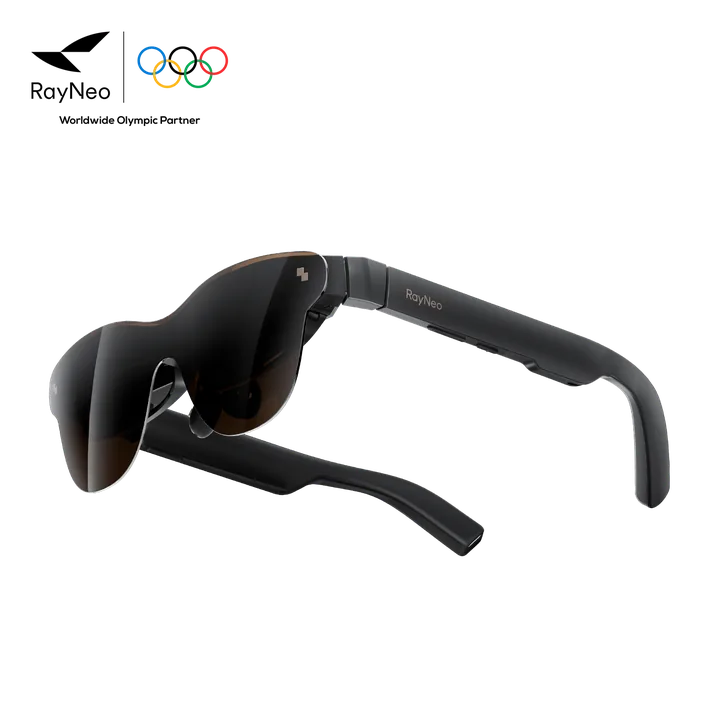
Confirmed specifications: Air 4 Pro lists HDR10, while Max 2 has the larger published angular field, 50° versus 46°. These describe different properties. HDR concerns supported image reproduction; field of view describes the angular extent of the view. Neither number establishes edge clarity, optical uniformity or how well the frame aligns with your eyes. We have no controlled measurements that settle those questions.
Editorial analysis: choose your priority before comparing marketing screen sizes. For a buyer seeking an HDR-capable movie setup, Air 4 Pro deserves investigation, but RayNeo says native HDR depends on the source device, operating system, app and content. For a buyer prioritizing a wider published view, Max 2 deserves investigation. Do not interpret the FOV difference as a measured percentage improvement in immersion or productivity. Ask about the return process if you cannot try the fit first.
Are both really 120Hz, and what does 1200p mean?
Rokid’s support documentation separates default 1080p operation from 1920×1200 support. It identifies Station 2 as one route to that higher mode and describes selecting an appropriate resolution on the source. The same documentation does not promise that every phone, app or connection automatically selects 1200p. Air 4 Pro is documented as Full HD, with its FAQ identifying 1080p.
Both manufacturers publish up to 120Hz, but Rokid explicitly describes Max 2 paired with Station 2 as a 90Hz system. Editorial analysis: treat resolution, refresh rate and source as one configuration. Ask which modes your particular device exposes, rather than combining separate headline maxima into an assumed operating mode. We make no claim about input latency, frame pacing or simultaneous HDR at the highest refresh rate. A game’s delivered frame rate is also a separate question from a display’s supported refresh setting.
Will they connect directly to your phone or computer?
Confirmed connection requirements: RayNeo specifies DisplayPort-compatible USB-C for direct use and names its HDMI Adapter for HDMI devices. Rokid’s Max 2 manual describes a plug-and-play product without a built-in battery and recommends a source supporting DisplayPort over USB-C. Rokid’s Android support page likewise distinguishes phones with DisplayPort output. A charging-capable USB-C socket alone is insufficient evidence for a direct display connection.
Editorial analysis: write down the exact phone or computer model and port before choosing either pair. Then check the manufacturer’s connection route, the supplied cable and any required powered adapter. Platform names such as Android or Windows are too broad to settle compatibility. An HDMI adapter is a separate purchasing decision, and a source that mirrors its home screen does not prove every protected streaming app or optional display mode works. Use our USB-C compatibility guide for that checklist, rather than treating this comparison as a universal device list.
Will one gram decide comfort?
The published weights are close: RayNeo specifies 76g and Rokid describes Max 2 as 75g in its launch documentation. These are manufacturer figures, not measurements made on a shared laboratory scale. They do not establish that one pair feels lighter, puts less pressure on the nose or remains comfortable for longer.
Editorial analysis: place more weight on fit checks than on this small numerical difference. Ask whether you can center the whole image, route the cable naturally and use the required optical accessories. RayNeo documents adjustable nose pads and flexible temples, but those features are not a personal fit guarantee. Avoid choosing a pair solely because a specification sheet suggests all-day comfort. This article makes no health or visual-suitability recommendation.
Who should choose or skip each model?
Editorial analysis — Air 4 Pro: it is a sensible shortlist candidate for a compatible-source owner who specifically values its documented HDR10 display route and wants a private entertainment screen. Skip it if you require built-in spatial screen anchoring: RayNeo explicitly says Air 4 Pro does not provide 3DoF anchoring. Its 3D content features should not be read as head-tracked positioning. Also pause if your purchase depends on an HDR mode that your exact source cannot confirm.
Editorial analysis — Max 2: it is a sensible shortlist candidate for someone prioritizing the published 50° field and willing to investigate supported resolution modes. If you are considering Station 2, price and evaluate that whole system separately. Skip a glasses-only order if your real requirement is the multi-window computing setup described for the AR Spatial system. Do not assume the separate unit, its applications or its 90Hz operating mode are included with standalone Max 2.
What are the recorded prices, and what should you check next?
RayNeo Air 4 Pro Standard Edition — recorded price: $299 (regular price), checked November 5, 2026, taken from the HoloNexa product page. Rokid Max 2 standalone glasses — recorded price: $299, checked November 5, 2026, taken from its HoloNexa product page. These are dated records, not current checkout quotes. Prices and sales change; confirm the current amount, currency, selected configuration, taxes and shipping with the seller before buying. A $254 Halloween Sale price was seen on October 29, 2026; it may have ended. Confirm the current price on the official RayNeo page.
Editorial analysis: use the product pages to inspect each record and its source before comparing totals. Next, confirm the intended source port, any required adapter and the seller’s return conditions. Buy the documented configuration that solves your viewing problem, rather than the one with the most impressive unsupported combination of headline numbers.
Check the exact configuration
Affiliate disclosure: HoloNexa may earn a commission from qualifying purchases at no extra cost to you.
Check RayNeo Air 4 Pro — affiliate linkAffiliate disclosure: HoloNexa may earn a commission from qualifying purchases at no additional cost to you. Standalone Max 2 glasses are available in black or silver from the official Rokid store; this is not a Station bundle. The displayed price is the official Rokid-store reference; Amazon seller, color, package, stock, shipping and final price may differ.
Check standalone Max 2 on Amazon US — affiliate linkGuide details and methodology
All insightsComparison
Compare RayNeo Air 4 Pro vs Rokid Max 2 using official display specs, field of view, refresh rates and compatibility notes to choose your next AR glasses.
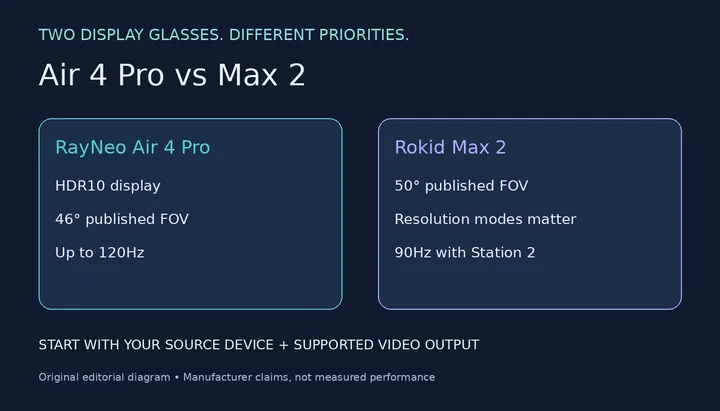 Original editorial illustration, not official product photography
Manufacturer-published specifications, checked November 5, 2026. Buying guidance is labeled editorial analysis. No hands-on testing, latency measurements, comfort testing or ratings are claimed.
Documented compatibility can change with hardware, software and accessory revisions. No hands-on testing is claimed.
This research-based guide uses manufacturer documentation for product facts. Evaluation and buying guidance are independent analysis; it is not presented as hands-on testing.
Official sources
Specifications, availability and program terms can change. Confirm current information on the linked manufacturer pages.
- RayNeo Air 4 Pro: specifications and connection FAQ
- Rokid Max 2: display-resolution support
- Rokid Max 2: refresh-rate support
- Rokid Max 2: official field-of-view explanation
- Rokid AR Spatial: Max 2 weight and Micro-OLED documentation
- Rokid Max 2: original user manual
- Rokid: Android DisplayPort compatibility